
Why a Local Microsoft Solutions Partner Matters for Dynamics 365 in Australia
Recent Post
-
 04 Nov 2026Microsoft Copilot for Australian Businesses: From First Workshop to a Custom AI Solution
-
 02 Nov 2026Voice AI Agent for CRM: Fix Poor Sales Adoption in Australia (Copy)
-
 02 Nov 2026How to Choose a Reliable Microsoft Partner for Enterprise Business Apps in Australia (Copy)
-
 28 Oct 2026How to Choose a Reliable Microsoft Partner for Enterprise Business Apps in Australia
-
 15 Oct 2026Why a Local Microsoft Solutions Partner Matters for Dynamics 365 in Australia
Voice AI Agent for CRM: Fix Poor Sales Adoption in Australia
Why Your Sales Team Skips the CRM (and How a Voice AI Agent Can Change That)
Ask any sales manager in Australia what frustrates them most about their CRM, and you’ll hear the same thing: the data is never up to date. Reps aren’t lazy. It’s 5:30 pm on a Friday, they’ve just driven back from three client meetings, and the last thing they want to do is type notes across five different screens.
That gap between what happens in the field and what lands in the system is where follow-ups slip and forecasts go wrong. A growing number of businesses are closing it by letting people simply talk to their software. With an enterprise voice AI agent for ERP and CRM, a rep speaks an update and the agent turns it into a structured, checked record.
Ask any sales manager in Australia what frustrates them most about their CRM, and you’ll hear the same thing: the data is never up to date. Reps aren’t lazy. It’s 5:30 pm on a Friday, they’ve just driven back from three client meetings, and the last thing they want to do is type notes across five different screens.
That gap between what happens in the field and what lands in the system is where follow-ups slip and forecasts go wrong. A growing number of businesses are closing it by letting people simply talk to their software. With an enterprise voice AI agent for ERP and CRM, a rep speaks an update and the agent turns it into a structured, checked record.
What is a voice AI agent, exactly?
A voice AI agent is software that lets people interact with business systems through spoken instructions. It listens, works out what the person wants, pulls out the relevant details, and then retrieves data or starts a workflow in a connected application such as a CRM or ERP.
It’s different from the voice assistant on your phone. An enterprise agent works inside your business rules. It knows which fields a CRM record needs, checks details against your configuration, and acts only within the permissions the user has.
It’s different from the voice assistant on your phone. An enterprise agent works inside your business rules. It knows which fields a CRM record needs, checks details against your configuration, and acts only within the permissions the user has.
Why CRM adoption keeps stalling
Most CRM problems aren’t technology problems. They’re effort problems. A few patterns come up again and again:
- Too many clicks. Logging one meeting can mean opening a contact, an account, an activity form and a task screen.
- Delayed entry. Notes typed days later lose detail, and the follow-up that mattered gets forgotten.
- Inconsistent records.Everyone types differently, so reports end up messy and hard to trust.
- Poor mobile experience.Typing on a phone between appointments is slow and error-prone.
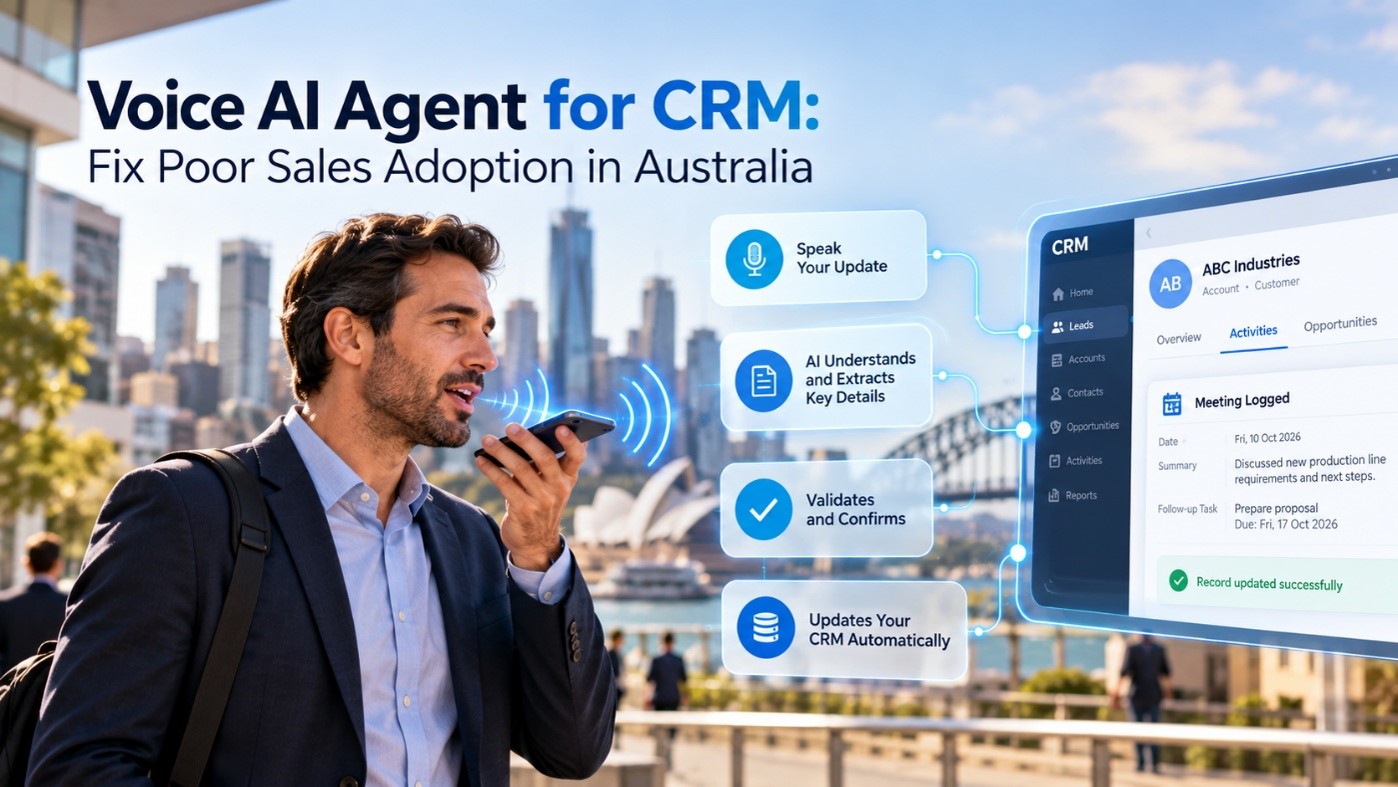
How voice AI works in a CRM, step by step
The process is simpler than it sounds. In a typical setup, it runs in five stages:
- Speak naturally.The employee gives an instruction or update through a supported voice interface, often on a mobile device.
- Recognise intent.The AI works out what the person wants to do, such as log a meeting, create a task or look up a customer.
- Extract and validate. The agent structures the information into the right business fields and checks it against configured rules.
- Review and confirm. Where needed, the employee sees the proposed action and approves the important details.
- Execute the workflow.Through a configured integration, the agent creates or updates the record, subject to permissions and controls.
What this looks like after a customer meeting
Picture a sales rep leaving a meeting with a manufacturing client. Instead of opening a laptop, they say: “Record today’s meeting with ABC Industries and create a follow-up task for Friday.”
The agent identifies the customer, captures the meeting summary and picks up the follow-up request. It then shows the proposed update for a quick check. Once the rep confirms, the information goes into the CRM through the configured integration.
That takes seconds, and the details are still fresh. Multiply it across a whole team and your CRM starts reflecting what’s actually happening with customers, instead of what someone remembered to type on Monday.
The agent identifies the customer, captures the meeting summary and picks up the follow-up request. It then shows the proposed update for a quick check. Once the rep confirms, the information goes into the CRM through the configured integration.
That takes seconds, and the details are still fresh. Multiply it across a whole team and your CRM starts reflecting what’s actually happening with customers, instead of what someone remembered to type on Monday.
Benefits beyond the sales team
CRM is the obvious starting point, but the same idea applies to other frontline work:
- Employee productivity.Less repetitive typing and screen navigation in supported workflows.
- Better information capture.Spoken instructions become structured records that can be reviewed before submission.
- More accessible interaction.Teams can work in familiar spoken language where the chosen speech services support it.
- Fewer avoidable errors.Validation and confirmation help flag incomplete or inconsistent details early.
What to check before you roll it out
A voice tool that doesn’t fit your existing systems and controls will cause more problems than it solves. Before committing, it’s worth working through a short checklist:
- Integration. Do your applications have the APIs or connectors the agent needs?
- Access and permissions.How will users be authenticated, and what should each role be allowed to do by voice?
- Validation. Which business rules should be checked before anything is saved?
- Data handling. What are your privacy, security and retention requirements for voice and transcript data?
- Language support.Which languages do your teams need? Availability depends on the speech-processing services you choose.
- Testing and adoption. Have you tested real workflows with real users, and planned training?
How to get started
You don’t need to transform the whole business at once. The most practical approach is to pick one workflow that’s repetitive, frequent and easy to measure, such as post-meeting CRM logging. Then assess whether it’s feasible with your current applications, run a small pilot, and learn from how people actually use it.
If your business runs on Microsoft Dynamics 365, Azure or the Power Platform, you already have a solid base to build on. Compusoft Advisors, a Sydney-based Microsoft Solution Partner, helps organisations assess where voice-enabled workflows fit and what it takes to connect them to existing systems.
If your business runs on Microsoft Dynamics 365, Azure or the Power Platform, you already have a solid base to build on. Compusoft Advisors, a Sydney-based Microsoft Solution Partner, helps organisations assess where voice-enabled workflows fit and what it takes to connect them to existing systems.
Frequently asked questions
Can a voice AI agent work with my existing CRM?
Often, yes. It can be designed to work with suitable ERP, CRM and other enterprise applications. Feasibility depends on available interfaces, connectors, permissions and workflow requirements.
Does a voice AI agent support multiple languages? It can be designed for multilingual interaction, but the languages available depend on the speech services selected and how the solution is implemented.
Is it safe to let an AI update business records? It can be, with the right controls. Authentication, role-based permissions, validation rules and a confirmation step all help ensure changes are checked before they’re saved.
A CRM is only as good as the data inside it, and data only gets entered when it’s easy to do. Voice gives your people a faster, more natural way to keep records current, and it gives managers information they can rely on. If poor CRM adoption is holding your team back, a voice-enabled workflow is a practical place to start. To see how it could fit your systems, explore Compusoft’s Voice AI Agent and book a demo.
Does a voice AI agent support multiple languages? It can be designed for multilingual interaction, but the languages available depend on the speech services selected and how the solution is implemented.
Is it safe to let an AI update business records? It can be, with the right controls. Authentication, role-based permissions, validation rules and a confirmation step all help ensure changes are checked before they’re saved.
A CRM is only as good as the data inside it, and data only gets entered when it’s easy to do. Voice gives your people a faster, more natural way to keep records current, and it gives managers information they can rely on. If poor CRM adoption is holding your team back, a voice-enabled workflow is a practical place to start. To see how it could fit your systems, explore Compusoft’s Voice AI Agent and book a demo.